As I’ll try to explain in the future, I have a full Homebrew R install. I also try to use Homebrew to install as much applications and utilities I can because I think it’s really handy to be able to install or update just with a simple command in the shell. Although sometimes it give you a little bit of a headache, as this time.
Only some commits were “verified” I’ve been committing on Git a lot lately and I’ve been uploading those commits to GitHub. At the same time, I’ve been doing some changes in the repository directly on GitHub and I noticed that the commits that I’ve done in GitHub itself were verified, but the ones that I was uploading from my computer were not. So, I decided to investigated how to “verify” the commits I upload from my computer. Turns out, that GitHub —and I suppose the rest of the online repositories— and Git are able to sign with a PGP key the commits you make to verify your identity against other people. It’s a way to be sure you, and only you, are the one that are committing, thus responsible for the things are doing.
White trash (oh wait!) on macOS The other day, I explained that there is a way to send files and folders to the trash from the the shell. Now, I just found out that there are differences between where is located the trash (it’s a folder nonetheless) in macOS and Linux.
I’ve been trying make something work in my Pi, but so far I’ve just messing things up and I had to install Raspbian a couple of times from scratch. For that reason I’ve decided to make a copy of the SD card before I repeat the process and try to figure out what is going on.
I just discovered that there is a way to send files to the trash instead of just delete them using the shell and I think it’s really useful when you don’t want to totally discard something to the oblivion. I found out about this because I was working on the shell and I needed to remove some files to check if app could work without them. Move or rename them was an option, but I thought that perhaps there were a more efficient way to that and thought that send then the trash was the most efficient way, since from there they could be deleted forever or restored. think
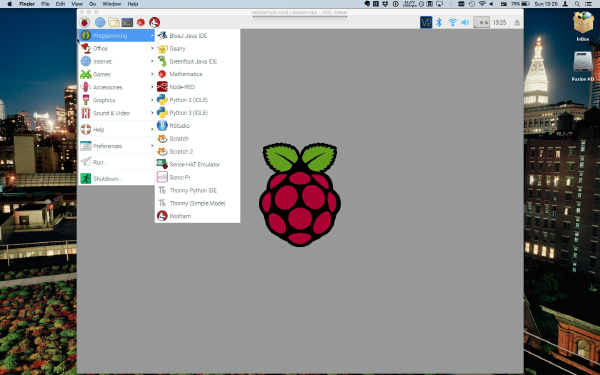
A few months ago we acquired a Raspberry Pi 3 Model 3 in the hopes to play a little bit around with it to learn some Linux and perhaps to use it as a computer to host rStudio Server and run some scripts on it. But things have been little by little been delayed, mainly because we didn’t have at hand a proper monitor nor USB keyboard.